
Bixby Voice
Screenshots
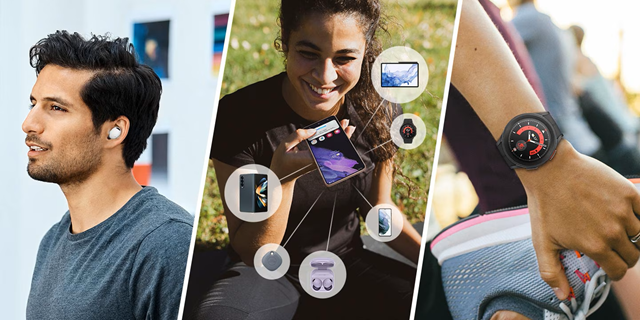
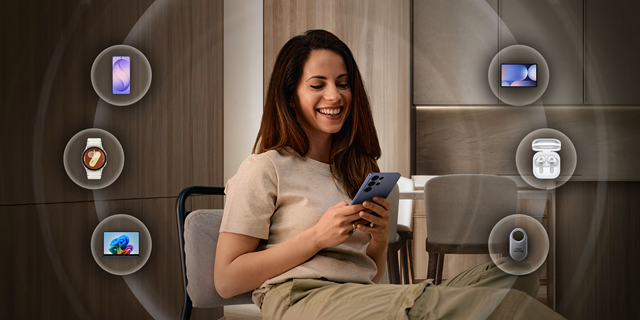
Bixby Voice is a smart helper for your mobile devices. Samsung built this tool to make your life much easier. You can control your phone with just your voice. It learns your habits over time. Therefore, it changes to fit your unique daily needs.
Many users enjoy using this helper every single day. It handles tasks quickly when your hands are busy. For example, you can send texts while cooking dinner. You can also change settings without touching the screen. This helper changes how you interact with technology. It responds to simple phrases and complex commands alike.
Furthermore, the system gets better with regular updates. You will notice improvements the more you use it. Let us explore how this tool can help you today.
What Is Bixby Voice and How Does It Work?
Bixby Voice reacts to your spoken words. The system uses advanced artificial intelligence to understand your requests. First, you activate the tool with a wake word. You can say “Hi Bixby” to start the process. Alternatively, you can press a dedicated button on your device.
Then, the app listens to your voice commands carefully. It processes your words locally or through cloud servers. After that, it executes the action on your screen. You can ask it to open specific tools or apps. You can also ask it to look up information online. It integrates deeply with your system settings. Consequently, it can change your brightness or turn on Wi-Fi.
It supports multiple languages for a global audience. Users can switch languages in the settings menu easily. This deep integration makes the tool very reliable for daily tasks. You do not need to struggle with nested menus anymore.
Core Features of Bixby Voice You Should Know
Bixby Voice offers many features to improve your mobile experience. You can see the clean user interface on your smartphone screen. The app layout displays a modern design with helpful prompt suggestions.
Here are the main features you can use:
- Multi-step commands: It handles complex tasks with ease.
- Quick Commands: You can replace long phrases with one short word.
- Context awareness: The system understands what app you are currently using.
- Smart home control: You can control your smart lights or TVs using your phone.
For instance, you can say “Bedtime” to activate several actions at once. The app will turn on silent mode. Then, it will set your morning alarm. This feature saves you a lot of time during a busy workday. Furthermore, it works seamlessly with smart home electronics. You can control your whole room without leaving your comfortable bed.
How to Set Up Bixby Voice on Your Device
Setting up Bixby Voice requires only a few simple steps. First, open the main settings menu on your smartphone. Scroll down until you find the advanced features section. Then, tap on the specific menu for the assistant. You must sign into your Samsung account to proceed. Create an account if you do not have one yet.
Next, the app will ask you to train your voice. You will repeat several phrases aloud on your screen. This training helps the system recognize your unique speech patterns. Consequently, strangers cannot trigger your helper easily.
You can also choose your preferred activation method during this setup. Select the voice wake-up option for a true hands-free experience. Finally, grant the necessary permissions to the tool. It needs access to your contacts, microphone, and storage. Now, your new voice helper is fully ready for action. You can begin using it immediately.
Customizing Your Experience with Smart Commands
Customization makes Bixby Voice highly effective for every individual user. You can design your own custom commands in the app settings. Open the Quick Commands menu to start this creative process. Then, choose a simple trigger phrase that you can remember easily. After that, add the specific actions you want the app to perform.
For example, create a command called “Morning Routine”. You can program it to read the news aloud. It can also check your calendar for upcoming events. Then, it can play your favorite morning music playlist. This automation removes repetitive steps from your daily schedule. You do not need to tap your screen twenty times anymore. Instead, you speak four words and enjoy the automated results.
Many people use this feature to streamline their driving habits. You can stay focused on the road while your phone works for you. It keeps you safe and productive at the exact same time.
Comparing Bixby Voice with Other Virtual Assistants
Bixby Voice offers distinct advantages when you compare it to rivals. Other popular options excel at online searches and general trivia. However, this specific tool controls your phone’s internal settings much better. It can navigate deep into menus that other helpers cannot reach.
For instance, you can tell it to format your storage cache. It can also optimize your battery usage with a quick phrase. Other assistants often fail at these deep system tasks. On the other hand, it might struggle with obscure internet facts sometimes. Therefore, it works best as a dedicated device controller. It functions as an extension of your physical hands.
Samsung continuously updates the software to improve its general knowledge base. These regular updates ensure the system stays competitive over the long term. You get a tool that grows smarter every single month. It handles system adjustments like a true professional.
Tips to Improve Your Bixby Voice Efficiency
You can maximize the value of Bixby Voice with a few smart strategies. First, speak clearly and at a normal volume level. Avoid shouting at your device even in noisy environments. The microphone system filters out background noise quite well. Second, use the text-to-Bixby feature when you are in public spaces. This option lets you type commands quietly instead of speaking aloud. Therefore, you can maintain your privacy in crowded rooms.
Third, check the discover page inside the app regularly. This page lists new commands and hidden features you might like. It teaches you how to unlock the full potential of the tool.
Finally, keep your device software updated to the latest version. New updates fix bugs and improve voice recognition speed. These small tips will help you enjoy a smooth experience. You will experience fewer errors if you follow these simple guidelines.
Conclusion
In conclusion, Bixby Voice offers an excellent way to control your mobile world. It simplifies your interactions with your smartphone through smart voice control. You can automate boring tasks and save valuable time every day. The setup process is quick, and the customization options are vast. It gives you deep control over your internal system settings.
Therefore, it remains a valuable tool for many device owners. Start exploring the various features today to see the benefits yourself. Speak your first command and watch your phone respond instantly. You will enjoy a completely new level of convenience.